Your Exercises
Use your own Exercises—from a physiotherapist, another healthcare professional, or your own experience.
iPhone app blocker for rehab and mobility
Turn your rehab or mobility exercises into guided Sessions—and make distracting apps wait until you’re done.
For iPhone Built with Apple Screen Time Designed around your privacy
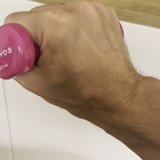 Wrist rehabReady
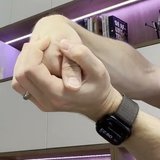 Elbow rehab✓ Completed
Selected apps wait
Until your Session is complete
Why RoutinePass
Maybe your exercises came from a physiotherapist or another healthcare professional. Maybe they’re simply the ones you know work for you. Either way, you don’t need another exercise library—you need to keep going.
Keeping going is the hard part—especially when your phone offers something easier every few minutes. RoutinePass makes distractions wait, so your routine comes first.
How it works
Add your rehab or mobility Exercises and use your own videos for guidance.
Create a Schedule that fits your day.
When your Session is Ready, selected apps wait until it is complete.
The experience
No streak pressure. No judgment. Just your exercises, your videos, and a clear next step.
Wrist rehabReadyElbow rehab✓ CompletedMove shows today at a glance—what’s done, what’s next, and one clear way to start.
Each Exercise guides you step by step, with Video playback, Sets, Rest and Breaks built in.
Every session counts. Add a Note about pain, changes, or anything else you notice.
History keeps every completed and partially completed session—see your effort add up, even before you feel the difference.
What makes it different
It helps you follow your own plan—whoever it came from.
Use your own Exercises—from a physiotherapist, another healthcare professional, or your own experience.
Follow your own videos step by step, at your own pace, with Video playback, Sets and Rest built in.
Selected distractions wait when your Session is Ready. Finish your session to unlock selected apps—and Emergency unlock is always there if you need it.
Privacy
Rehab is personal. RoutinePass is built so it can stay that way.
Your exercise videos, schedules, selected Screen Time items, session history, and notes remain on this iPhone, private and under your control.
No sign-up, no email address, no profile. Install it and start.
Blocked apps are selected through Apple’s Screen Time technology, which represents your choice with protected system tokens. RoutinePass never sends the identities of your selected apps anywhere.
Limited, pseudonymous product statistics help improve the app—and never include Routine names, Exercise names, or Notes.
App blocking is optional, and Emergency unlock is always available.
The complete policy explains everything in plain language.
Read the full privacy policyPractical guides
Short, practical guidance for organising routines, protecting your attention and using Screen Time with more intention.
Keep your exercise instructions, videos and weekly plan together without changing the guidance you received.
Read the guidePractical ways to remember and start your home exercises without guilt—and without waiting to feel motivated.
Read the guideUse an app blocker to put one familiar mobility Routine before a recurring scrolling moment.
Read the guideQuestions
RoutinePass is an iPhone app for people who want to follow through on their own rehab or mobility exercises. You build Routines from your own Exercises, schedule guided Sessions with your own videos, and can optionally make selected distracting apps wait—using Apple’s Screen Time technology—until a Session is complete.
No. RoutinePass isn’t an exercise library and doesn’t prescribe or clinically validate Exercises. You add your own Exercises—for example, Exercises from a physiotherapist or another healthcare professional—and use your own videos for guidance.
App blocking is built on Apple’s Screen Time technology. You choose which apps can wait. When a scheduled Session becomes Ready, those apps wait until the Session is complete. Emergency unlock is always available, so you stay in control.
Yes. Select those apps with Apple’s Screen Time and turn on blocking. When a scheduled Session becomes Ready, the selected apps wait until the Session is complete. Emergency unlock remains available when you need it.
Yes. For each Exercise, record a video or choose an existing one. Configure how many Times it plays in each Set, or choose a Duration. Your Exercise videos stay on your iPhone.
Yes. RoutinePass uses Apple’s Screen Time to make selected apps wait. Unlike a generic blocker, blocking can follow the rehab or mobility Schedules you create.
Yes. Routines, Schedules, guided Sessions, History and Notes all work without Screen Time access. If you turn blocking on, you decide which apps wait.
Your existing Routines stay available, and you can still complete their Sessions and use History and Notes. If your setup exceeds the free plan—one Routine with one Schedule and one Exercise—the editor stays available so you can delete extra Routines, Schedules or Exercises and return to those limits. Other Schedule and Exercise changes require RoutinePass Pro until then.
Build your Routine, choose when it happens, and make distractions wait. Every session counts.